QuickImage — Layered Image Editor O QuickImage combina a edição em camadas já conhecida com segurança explícita de arquivos, relatórios de compatibilidade e recuperação não destrutiva.
Por que o QuickImage?
O QuickImage combina a edição em camadas já conhecida com segurança explícita de arquivos, relatórios de compatibilidade e recuperação não destrutiva.
Principais recursos
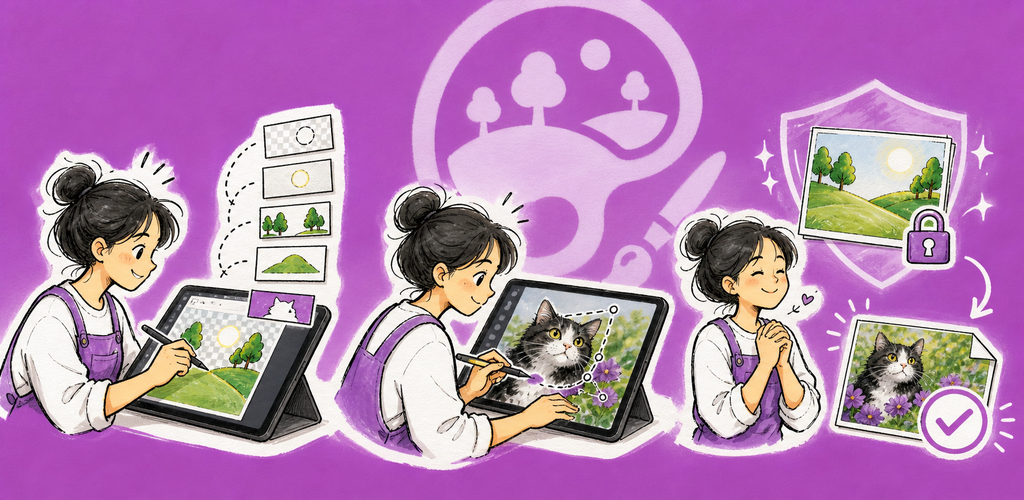
- Edição em camadas: Fluxos com camadas raster, texto, formas, preenchimento, grupos, máscaras, recorte, opacidade e mesclagem.
- Pintura e retoque: Ferramentas de pincel, borracha, preenchimento, clonagem, seleções, corte, texto, formas e transformação.
- PSD e PSB: O relatório de compatibilidade identifica o conteúdo editável, rasterizado e mantido sem alterações antes de você continuar.
- Importação de OpenRaster: Arquivos ORA verificados são abertos como rascunhos em camadas editáveis, com notas de conversão.
- Salvamento seguro de documentos: As imagens existentes continuam vinculadas à origem, permitindo fluxos atômicos de Salvar e Salvar imagem como.
- Exportação para entrega: Crie arquivos PNG, JPEG, WebP, TIFF, PDF, PSD ou PSB separados sem alterar o original.
Camadas, compatibilidade e segurança de arquivos
O QuickImage mantém o trabalho inacabado em um rascunho de recuperação, verifica alterações externas antes de substituir uma imagem vinculada e nunca trata os dados de recuperação como um salvamento completo do arquivo.
Perfeito para
- Arte em camadas, correções de fotos, anotações e recursos de design
- Revisar e adaptar arquivos PSD, PSB ou OpenRaster
- Pessoas criadoras que querem o trabalho editável e exportações de entrega separadas
- Trabalho com imagens com prioridade local, quando a origem dos arquivos importa
Primeiros passos
- Crie uma nova imagem, abra uma imagem existente ou cole a partir da área de transferência.
- Escolha uma ferramenta e ajuste as opções dela na barra abaixo do menu.
- Organize o conteúdo em Camadas e use máscaras ou recorte para edições não destrutivas.
- Use Salvar para o documento atual ou Salvar imagem como para criar uma nova cópia de trabalho.
- Use Exportar quando precisar de um arquivo de entrega separado em outro formato.
Privacidade & Segurança
- A edição e a execução de IA compatível acontecem no dispositivo.
- Os dados das imagens não são enviados para processamento de IA; só o download de um modelo solicitado explicitamente usa a rede.
- Os arquivos externos são acessados apenas por locais autorizados por você ou por permissões de arquivo específicas.
- As exportações e os documentos de trabalho permanecem como arquivos separados e rastreáveis.
Teste, Free e Pro
O teste padrão de sete dias é livre de anúncios. Depois do teste, o plano Free mantém todos os recursos e pode exibir publicidade no celular ou um lembrete diário de apoio no desktop. O QuickImage Pro remove esses anúncios e lembretes por meio de uma assinatura anual ou de uma compra vitalícia única.
Termos de Uso: https://kakitiro.com/quickapps/quickimage/terms/