QuickLayout — Mac 窗口布局 & 局域网遥控工具 保存、预览、应用并撤销 Mac 窗口工作区,然后在本地网络上通过已获批准的 iPhone 或 iPad 安全地切换它们。
为什么选择 QuickLayout?
QuickLayout 让窗口排布既有意为之又可随时撤销。Mac 始终拥有最终控制权,移动端伴侣应用只会接收远程操作所需的布局摘要与命令。
核心功能
- 保存当前布局: 把所选应用窗口采集为私密的示意性布局,不会截图。
- 应用前先预览: 查看移动、调整大小、启动、跳过、显示器变化以及不受支持的窗口。
- 事务式撤销: 在每次排布前保存受影响的窗口状态,并仅还原 QuickLayout 改动过的部分。
- 菜单栏与快捷键: 快速使用保存、布局选择器、收藏、最近布局、聚拢、网格、撤销、自动化与设置。
- 聚拢与网格: 找回移出屏幕的窗口,或把最前面的窗口放入指定的显示区域。
- 安全的局域网遥控: 用六位数验证码配对,即可在 iPhone 或 iPad 上搜索已保存的布局、应用、刷新与撤销。
- 如实说明能力: 明确展示快捷指令、自动化、辅助功能、全屏、Spaces、台前调度、标签页以及各窗口的限制。
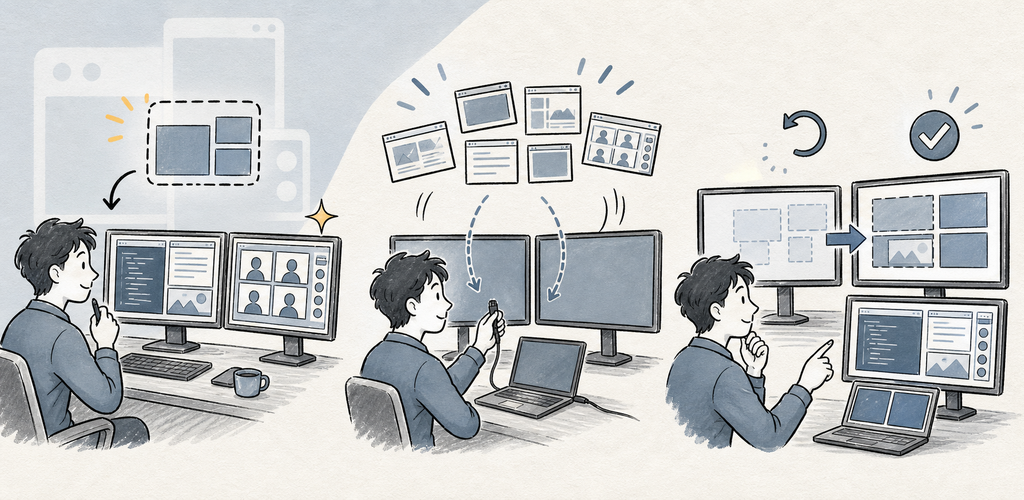
保存 → 预览 → 应用 → 撤销
QuickLayout 绝不会关闭或退出应用程序,也绝不会捕获窗口内容。Mac App Store 版本通过随附的 Apple 快捷指令移动受支持的窗口;已签名的直接分发 macOS 版本则使用辅助功能。两种方式都会预览变更、保存撤销点并验证结果。
一个产品,因平台而异的控制方式: Mac App Store 版、直接分发的 macOS 版以及 iPhone/iPad 局域网伴侣应用都保持相同的「保存 → 预览 → 应用 → 撤销」流程,功能不打折扣。
适合这些场景
- 可重复使用的编码、写作、研究、会议与媒体工作区
- 多显示器配置以及笔记本/扩展坞切换场景
- 找回移出屏幕的窗口,并快速把最前面的窗口按网格排布
- 希望在自动化之前先看到预览与撤销的用户
快速上手
- 在 Mac App Store 版本中,请在出现提示时安装随附的 QuickLayout Window Bridge 快捷指令。在直接分发的 macOS 版本中,请授予辅助功能权限。
- 选择「保存当前布局」,并勾选属于同一组的应用与窗口。
- 预览每一项拟执行的移动、调整大小、启动与跳过操作。
- 应用该布局;QuickLayout 会先记录一个撤销点。
- 如果验证后的结果不符合预期,请使用「撤销」。
- 如需移动端控制,请在 Mac 上启用「移动端遥控」,让两台设备处于同一局域网,并确认六位配对码。
隐私 & 安全
- QuickLayout 读取的是窗口元数据与框架,而不是截图或文档内容。
- 布局使用私密的示意性矩形与应用标签。
- Mac App Store 版本会把受支持的窗口变更委托给随附的 Apple 快捷指令。直接分发版仅为窗口采集与排布请求辅助功能权限。
- 移动端伴侣应用接收的是布局摘要,而不是文档内容、窗口标题或窗口坐标。
- 已配对的局域网命令使用加密且经过认证的会话;主机功能默认关闭。
- 试用结束后,移动端免费版可能会显示广告。当前的广告与商店服务披露信息请见隐私政策。
试用版、免费版与 Pro 版
标准的七天试用期没有广告。试用结束后,免费版仍保留完整功能集,但可能会显示移动端广告或桌面端每日支持提醒。QuickLayout Pro 通过年度订阅或一次性终身购买移除这些广告与提醒。